
It is 10:30 p.m. before your flight. One child needs a swimsuit, another needs a comfort toy, and someone has packed three phone chargers but no medication. The family suitcase is open on the floor, while everyone insists they packed their own essentials.
I have used packing apps for years, and the useful ones do more than produce a long list of shirts and socks. The best packing list app for family travel assigns items to people, handles shared gear, works across devices, and helps you check the final bag without creating another chore.
Why family packing lists break down before departure
Verdict: a family needs ownership, not just reminders. Most packing failures happen because one person assumes another person handled the item. A generic checklist may show diapers, chargers, passports, and sunscreen, but it does not answer the question that matters: who is responsible for each one?
Shared items create hidden gaps
Shared gear causes the most trouble. A stroller, child-size headphones, first-aid kit, beach bag, travel cot, and universal adapter usually belong to the whole group. Put those items on one shared list, then assign personal items to named travelers. That simple split stops two adults from buying the same adapter while nobody packs the thermometer.
Children need different rules
A five-year-old cannot manage the same checklist as a teenager. Young children need an adult to own medication, documents, snacks, and sleep aids. Older children can handle clothes, books, headphones, and one personal bag. I prefer separate sections for each traveler because a single list sorted by item type hides the person who still has ten unchecked tasks.
The strongest family system has three layers: personal bags, shared luggage, and departure-day tasks. The app is only useful when it mirrors those real responsibilities.
What makes a packing list app work for families
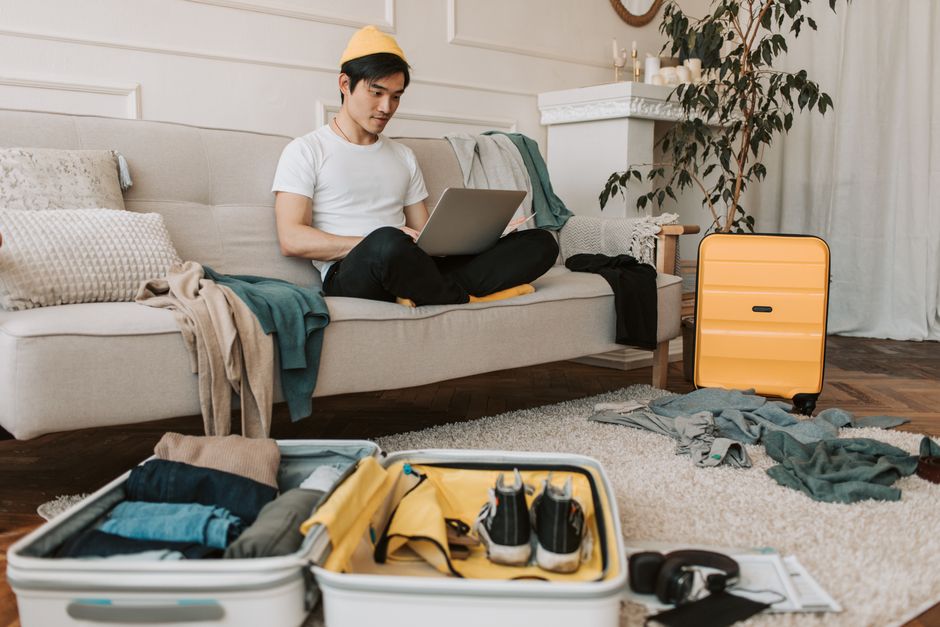
Verdict: collaboration and quantity control matter more than clever suggestions. A weather-based list sounds impressive, but a family app earns its place by making the final 24 hours calmer. Before choosing one, test the app against a six-night trip for two adults, a toddler, and a school-age child.
Look for traveler assignment
Every item should have a person, a quantity, or a shared label. The difference between two toothbrushes and four toothbrushes is obvious. The difference between one bottle of children’s medicine and one bottle per child is not. Good apps let you duplicate a basic list, adjust quantities, and mark special items for a specific traveler.
Check sharing, editing, and offline access
Family members should be able to see changes quickly, but shared access is not enough. Check if another person can edit the list without accidentally deleting a whole category. Offline access also matters on a flight, at a rental car desk, or in a hotel basement with weak service. A printable export is a useful backup, especially for passports, prescriptions, and infant supplies.
Privacy deserves a quick check too. Do not store passport numbers, full medical records, or copies of identity documents in a basic packing checklist. Keep those in a secure document service or encrypted vault, and use the packing app only to record that the document is packed.
The best family packing list apps compared
Verdict: PackLyst wins for modern shared family packing, while PackPoint wins for simple weather-based lists. The right choice is shaped by device support, collaboration, and how much travel planning you want inside the same app.
| App | Family strength | Current price or access | Main limitation |
|---|---|---|---|
| PackLyst | Traveler profiles, shared lists, weather, quantities scaled to trip length | Free for up to 3 trips; Family plan $9.99 per month; Lifetime $99.99 | iPhone and web today; Android listed as coming soon |
| PackPoint | Destination, forecast, activities, laundry, and repeat-wear settings | Free core app; Premium pricing varies by store and region | Less focused on detailed family ownership |
| Wanderlog | Free collaborative trip planning with custom checklists and itinerary tools | Free core features; Pro listed from $39.99 per year | Checklist setup is more manual |
| Packing Pro | More than 800 catalog items, family assistant, weight estimates, iCloud sharing | $3.99 one-time iOS download | No Android version; more setup work |
| Packr | Activity categories such as beach, baby, hiking, and winter sports | Free; Premium listed at $3.49 monthly, $24.99 yearly, or $34.99 lifetime | iOS only |
Which app has the best value?
For a family that wants one shared workspace, PackLyst offers the clearest structure. For a couple who only needs a quick forecast-driven list, PackPoint is easier. Packing Pro is the bargain choice for an iPhone household that values detail and does not need Android support. Prices can change by country, platform, and promotion, so check the in-app screen before paying.
How to build a family list that survives airport day

Verdict: build the list around moments, not product categories. A category such as toiletries is too broad to catch every family risk. I build a list in the order the trip happens, then add personal ownership after the first draft.
- Start with the journey. Create sections for leaving home, airport or station, transit, arrival, daily activities, bedtime, and returning home. Add snacks, wipes, a change of clothes, entertainment, and medication to the transit section.
- Add one profile per traveler. Record age, clothing needs, allergies, sleep items, and regular medication. Do not rely on a generic child list. A toddler who sleeps with a white-noise machine has a different risk profile from a child who sleeps anywhere.
- Set quantities by use. For a seven-night trip, I usually start with seven pairs of underwear, five daytime outfits, two sleep sets, and one spare outfit per child. I reduce clothing when laundry is available and add layers when the forecast changes by more than 10 degrees Celsius between day and night.
- Separate bags. Put documents and medication in an adult carry-on, one change of clothes per child in the cabin bag, and bulky low-risk items in checked luggage. The app should show the bag as well as the owner.
- Run a departure pass. The night before travel, filter for unchecked items. On departure morning, check the refrigerator, bathroom, charging area, and bedside tables. Those locations catch the items that never reach the suitcase.
Use a final weight check
Airline limits vary, but a 23-kilogram checked-bag allowance is common on long-haul tickets. Put a luggage scale beside the open suitcase. Remove shoes, duplicate toiletries, and heavy books first. Keep a small margin instead of packing exactly to the limit.
My pick: PackLyst for shared family packing
My clear pick is PackLyst for families using iPhones and a web browser. Its useful advantage is not the phrase smart packing list. It is the combination of traveler profiles, shared checklists, medical-needs fields, weather data, and trip-duration quantities. A five-day trip can suggest five pairs of socks per person, while custom items can stay fixed instead of multiplying with every extra night.
Why it beats a basic notes app
A notes app is fast, free, and perfectly adequate for one adult. It becomes messy when four people edit the same text. PackLyst lets family members see who owns an item and supports shared lists on its Family plan for groups of up to six. That makes it better for grandparents, parents, and children packing from different rooms.
When I would choose something else
I would choose PackPoint for a fast list based on destination weather, planned activities, laundry access, and repeat-wear settings. I would choose Wanderlog when the family also needs a shared itinerary, map, budget, and reservation hub. I would choose Packing Pro for an iPhone-only household that wants an extensive catalog, CSV export, and estimated luggage weight for a one-time $3.99 purchase.
Do not pay for PackLyst if your family takes one trip a year and everyone uses the same phone. A printed checklist or a free Wanderlog note may solve that problem with less friction.
Five packing app mistakes that cause real travel stress

Verdict: a smaller, owned list beats an automatic list full of guesses. Apps reduce memory work, but they cannot know every detail of your family routine. These mistakes are the reason many parents abandon a packing tool after one trip.
- Accepting the first generated list. Weather and activity data cannot know about a child’s preferred cup, a specific inhaler spacer, or the shoes that never cause blisters. Treat the generated list as a draft.
- Using one adult as the permanent owner. If one parent checks every box, that person becomes the only safety net. Assign tasks to the adult or child who can actually complete them.
- Mixing packing with shopping. Mark items to buy separately from items already owned. Otherwise, a checked box may mean purchased, packed, or simply remembered.
- Ignoring the return journey. Add laundry, wet swimwear, souvenirs, chargers, and borrowed hotel items to a return-home section. A trip is not finished when the outbound suitcase closes.
- Trusting a phone without a backup. Save a PDF, take a screenshot, or print the critical pages. A dead battery should not hide the location of your child’s medication.
The most common failure is overpacking. More checklist items do not equal better preparation. If the list has 140 unchecked entries for a weekend, delete the low-value items until the family can review it in ten minutes.
Family packing app questions worth answering
These are the questions I ask before recommending an app to another traveling family.
Is a family packing app better than a shared notes list?
Yes, when several people pack independently. A dedicated app is better at assigning ownership, scaling quantities, separating bags, and tracking completion. A shared note remains the better choice for a small household that wants zero setup and does not need weather-based suggestions.
Can a packing app replace a travel itinerary?
No. PackPoint and Packr focus on packing logic. Wanderlog adds itinerary, map, budget, and reservation features, but its checklist still needs more manual organization. Keep the packing list focused on physical items and preparation tasks, then use the itinerary for bookings and daily plans.
Should parents let children use the app?
Yes, but give children a short personal list. A child can pack a hat, jacket, book, headphones, and comfort item. An adult should own medication, passports, money, tickets, and shared electronics. This teaches responsibility without making a child responsible for a trip-critical item.
For the late-night suitcase scene, my solution is simple: one shared list, one section for each traveler, one section for shared gear, and a final departure filter. The open suitcase still appears the night before the flight, but now every item has an owner—and the family reaches the airport with the comfort toy, medication, and chargers in the right bags.